Select an option
Link multiple Movie Club Members Redeem Movie Club Pass Online Redeem Vouchers Online Swap Or Credit your own ticketLink multiple Movie Club Members together
linking memberships together allows you to purchase multiple membership tickets in the one transaction. Its quick and easy to do just follow the steps bellow.
- Login here to access your account.
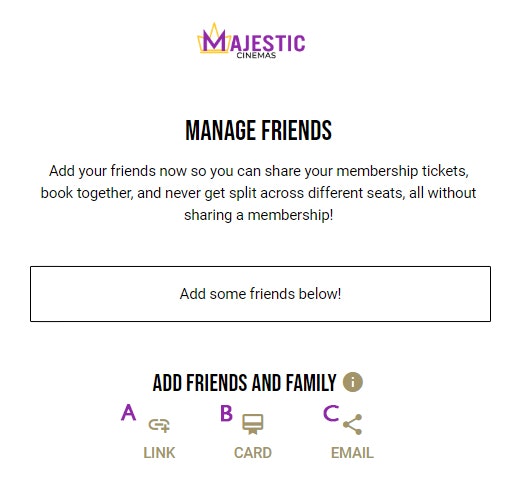
- When you have logged in person click here to go the account page and select MANAGE FRIENDS
- On the Manage Friends page under ADD FRIENDS AND FAMILY Select the linking option you would like to use to link other members.
- Select the LINK option to copy the linking code to your devices clipboard so you can paste it in an instant message and send to a friend.
- Select the CARD option and enter the Membership card number and the last name of your friend to link your accounts,
- Select the EMAIL option and enter your friends email address to send the linking code directly to their email account.
- Once your accounts are linked, you can select one, some or all of the members to purchase member priced tickets in the one transaction. These links stay in place until you choose to UNLINK the members, saving you time whenever you log into the website to buy tickets.



Redeem Movie Club Pass Online
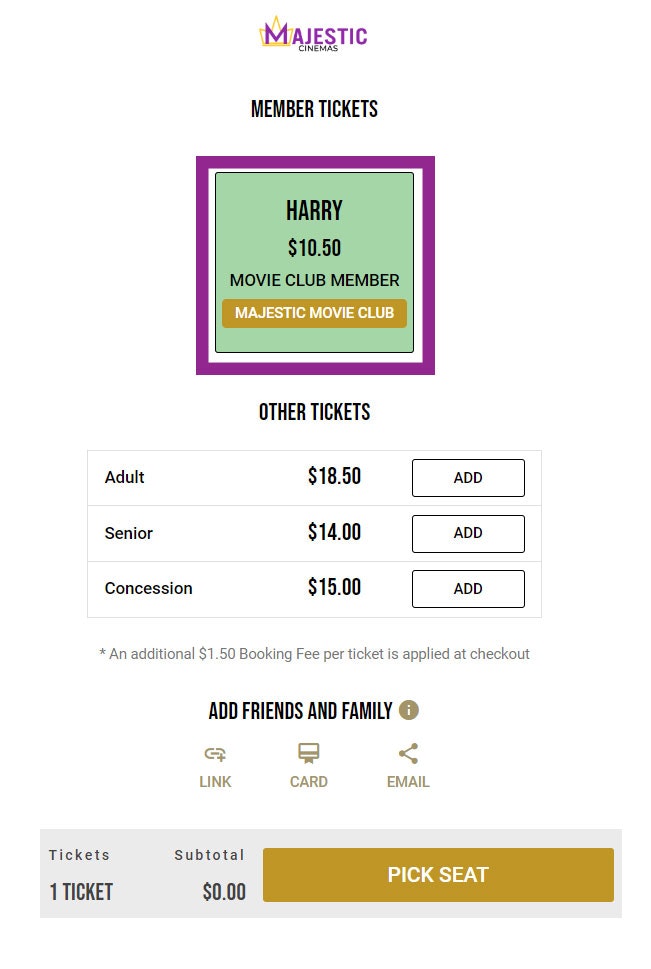
If you have joined or renewed your Majestic Movie Club membership, your account will automatically have a FREE Movie Club Pass to use on your next visit. To use the pass just follow the steps bellow.
- Select the film you want to see and then select a Movie Club Member ticket to use the pass.
- Pick your seat.
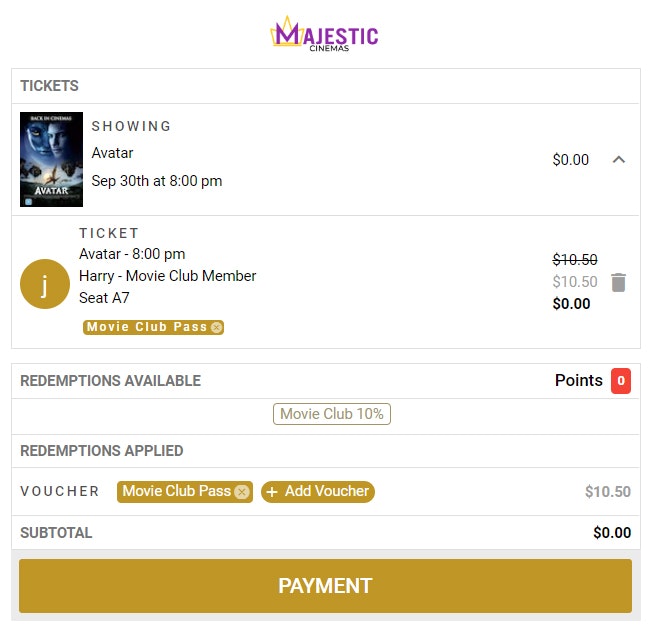
- The payment page it will show you owe $0.00 to attend this session.
Redeem Vouchers Online
If you have Voucher code that you would like to use online just follow the steps bellow.
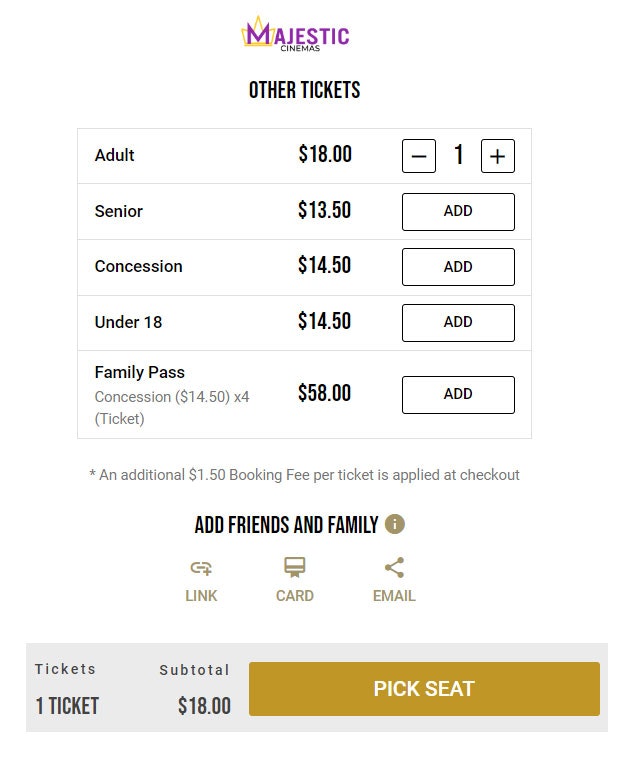
- Select the film you want to see and then select any ticket to add it to your cart.
- Pick your seat.
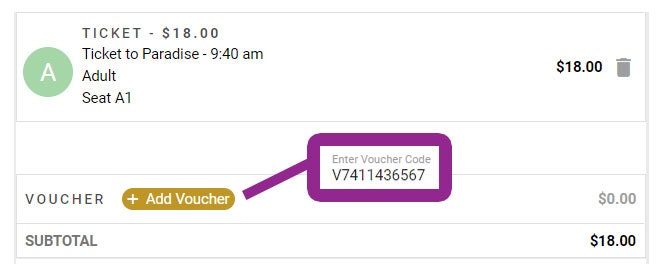
- At the bottom of the payment page select the Add Voucher option and enter the voucher number
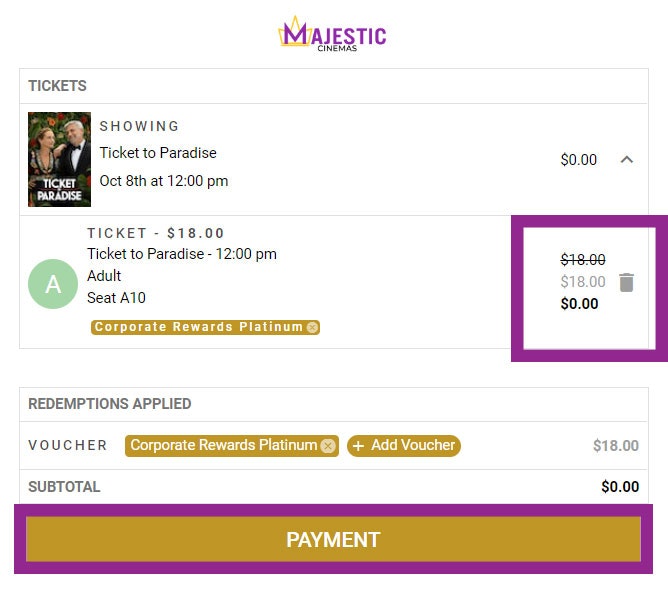
- The ticket price will reduce by the value of the voucher. Click on Payment to finalise your transaction.
Swap Or Credit your own ticket transactions
If you would like to return your tickets for store credit or swap your tickets for another session just follow the steps bellow. ( This can only be done at least 30mins prior to the movie start time).
- Login here to access your account.
- Once you have logged in Click here to access your orders.
- Select SWAP OR CREDIT next to the order
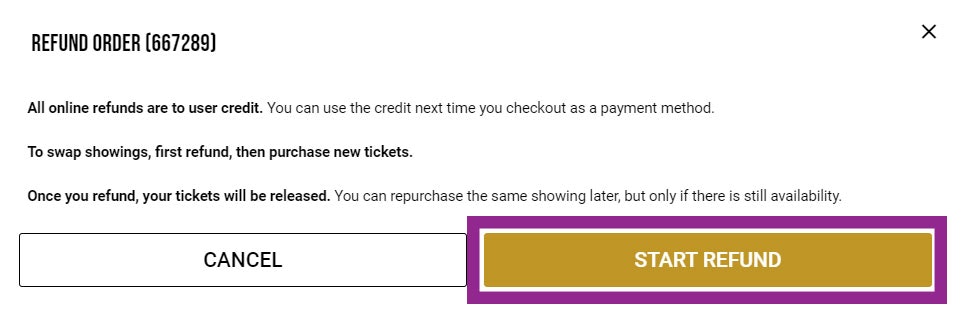
- Select START REFUND. (Note all online refunds will be returned in the form of user credit. You can use the credit next time you check out as a payment method).
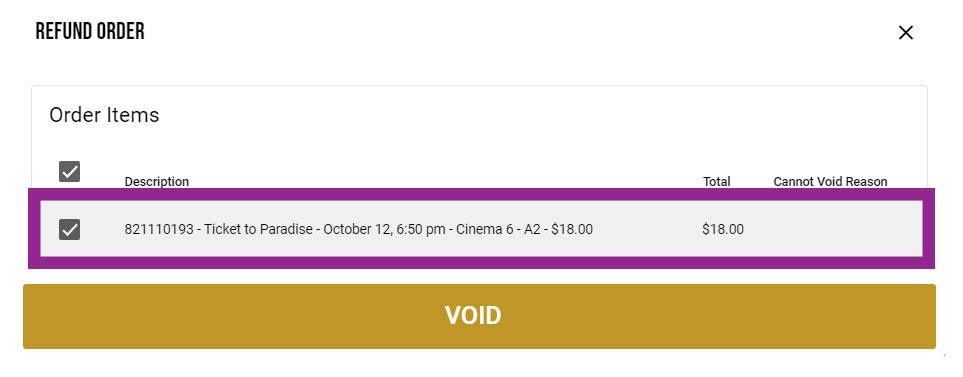
- Select the number of tickets you would like to refund using the tick boxes next to the each ticket and then select REFUND TO CREDIT.
- The money will be credited back to your website account and can be used next time you check out as a payment method.

(Note – to swap tickets, please refund the initial order first, then go to the new session you would like to see and purchase tickets again)
